Resources Review your draft
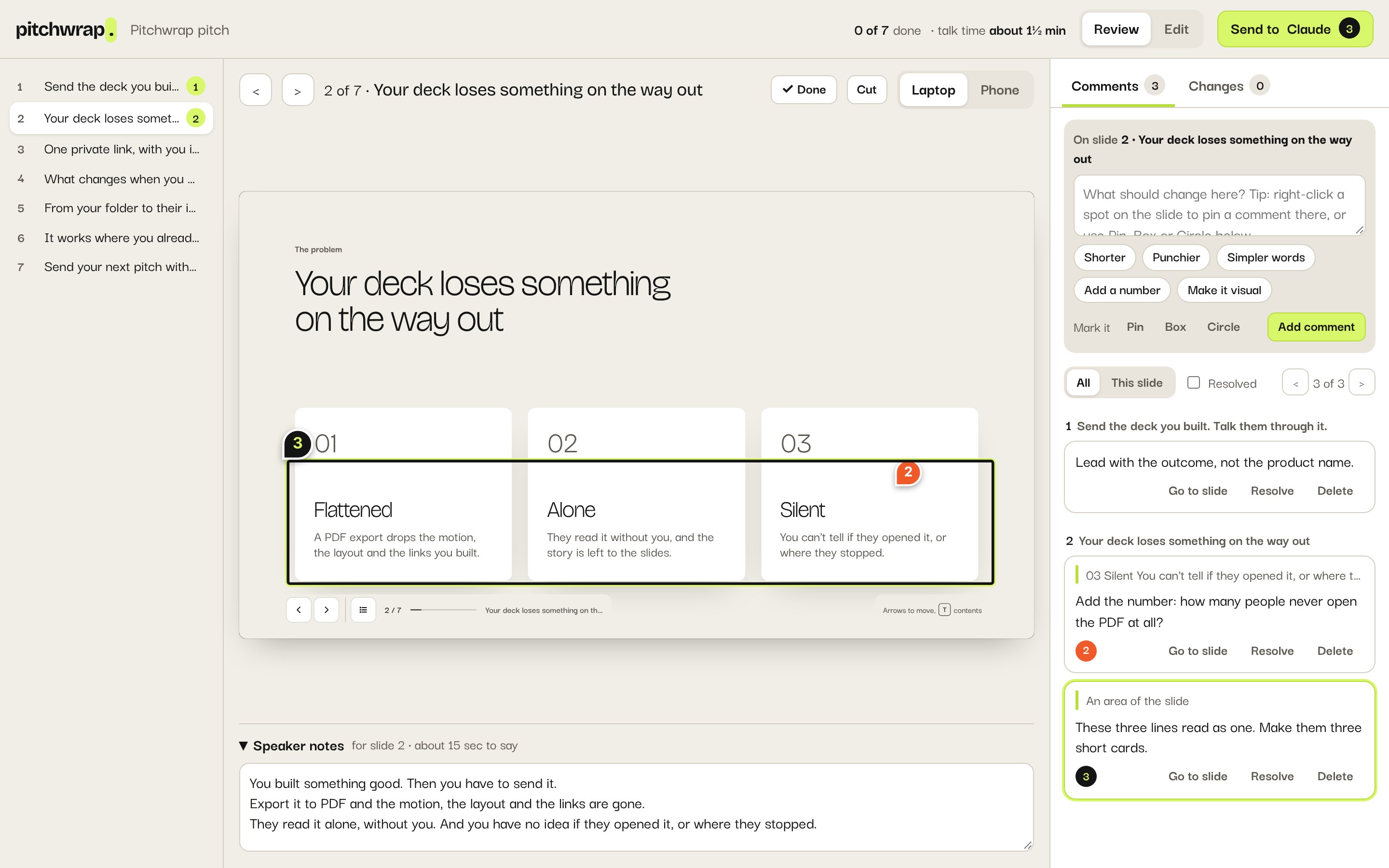
Comment and point at a spot
Comment on a slide, or pin it to one spot.
Comment on a slide
Go to the slide.
Type what should change, or click a quick ask like Shorter.
Click Add comment.
Pin, box or circle
Right-click a spot on the slide to pin your comment there. Or pick Pin, Box or Circle under the comment box and click or drag on the slide.
Find and resolve
- Go to slide on a comment takes you there; ‹ and › step through them all.
- Resolve a comment once it’s done. Resolved comments aren’t sent.