Resources Record and present
Transcript Assistant
Our agent that writes notes or a word-for-word script for every slide with you, ready for the prompter.
When you record a walkthrough, Pitchwrap shows your notes for each slide in big type above the deck, and changes them as you move through it. Only you see them. They live in a file called pitchwrap-notes.md.
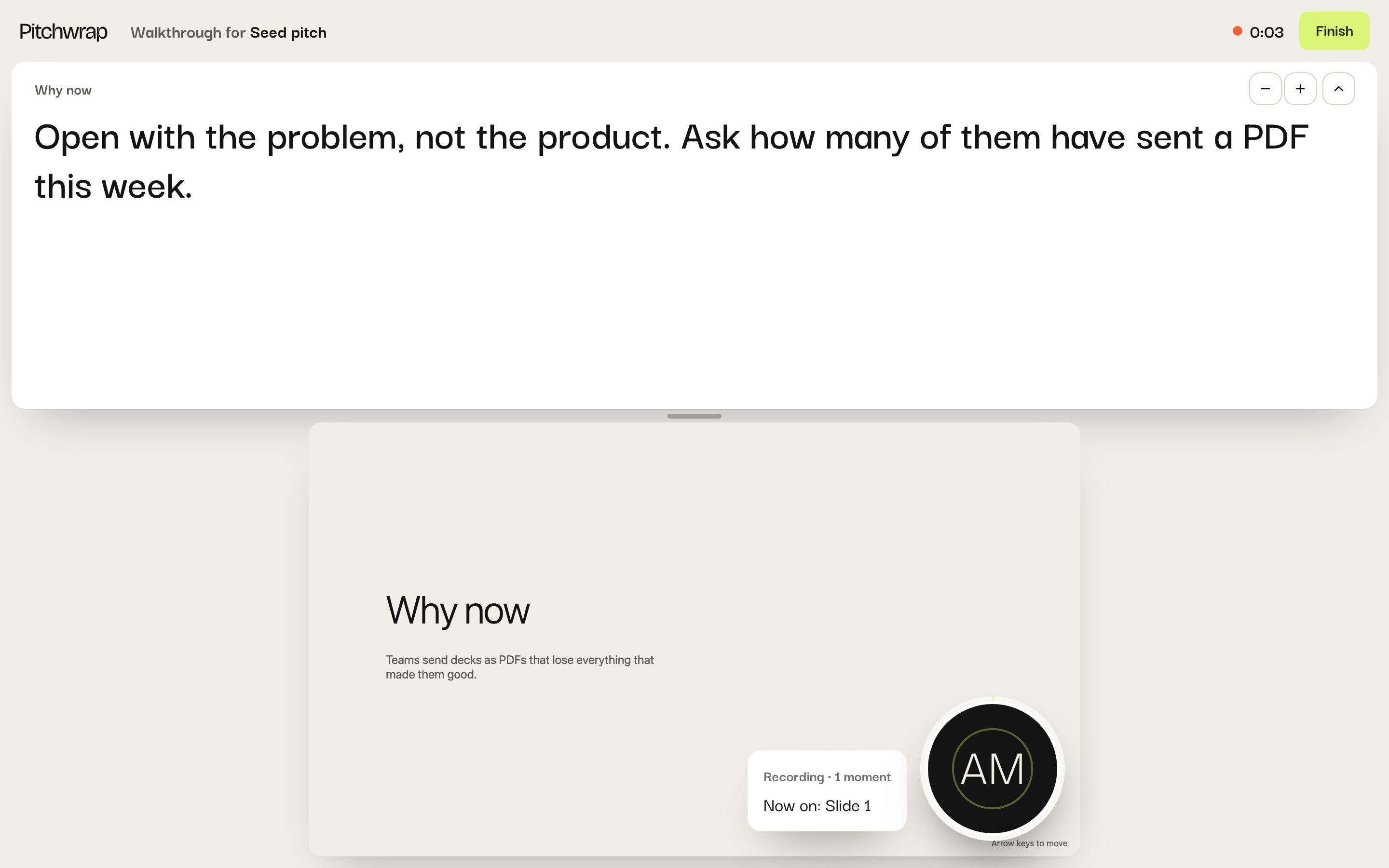
An AI tool that has your deck can write them with you, slide by slide: short notes to glance at, or a word-for-word script. Start from your deck, from notes you already have, or talk it through and let it tidy up what you said, ums and all. If you have brand guidelines with a tone of voice, it follows them.
With Claude or ChatGPT
The Transcript Assistant works in both, and in OpenAI’s Codex, where it installs as a skill.
Download the Transcript Assistant
In the Claude app: open Settings, find Skills, and upload the zip.
In ChatGPT: open Skills, choose Create, then upload the zip from your computer. Skills are on some ChatGPT plans; if you don’t see them, use the prompt below.
In Claude Code or Codex: unzip it into
~/.claude/skills/or~/.codex/skills/.
Then share your deck’s folder (or a zip of it) and ask: “Write speaker notes for my deck.” It reads your deck the way Pitchwrap does, so each note lands on the right slide, and checks the finished file before handing it over.
With any other AI tool
Copy this into ChatGPT, Gemini, Cursor, Lovable or any tool that has your deck, and share the deck with it if it doesn’t already. It’s also here as plain text.
Help me write speaker notes for my HTML pitch deck, for Pitchwrap. While I record a walkthrough, Pitchwrap shows in big type above the deck what I wrote for the slide on screen, and changes it as I move through the deck. Work with me part by part, then give me the result as a file called pitchwrap-notes.md.

## How to work with me

First, look at what we have: the deck's HTML (I'll share it or it's in this project), any notes, script or outline I already have, and any brand or tone-of-voice guidelines. If there are guidelines, follow them and tell me you are.

Then ask me, in one message:
- Notes (short cues to glance at, so I talk naturally) or a script (word for word, to read)?
- Where to start: you draft from the deck; you shape my notes to the slides; or we talk it through, slide by slide.
- If there are no brand guidelines: two or three tones, each shown as one line for my first slide, so I can pick by ear.

Then go through the parts in order, naming each one ("Slide 3 · Pricing").

When we talk it through, ask me to tell you about the slide, then:
1. "Here's what you said": my words, cleaned up. Take out ums, uhs, filler words, false starts and repeats, and fix dictation mistakes, but keep my words, order and voice. Keep intentional pauses as (pause): where I said "pause", trailed off on purpose, or stopped for effect. Drop hesitation pauses. In notes mode, make cues from my words.
2. Ask if I like it.
3. If not, or if you can genuinely make it better: "Here's what I'd suggest", built from what I said, the slide and the tone, with one line on what you changed.
4. Ask which I want: mine, yours or a mix.

When you draft from the deck, lead with your draft and let me react. Once I like the direction, offer to draft the rest at once.

## Writing for the prompter

- Write for the ear: short sentences, plain words, a line break where I'd breathe.
- Don't read the slide; say what it doesn't.
- People speak about 130 to 160 words a minute. Most slides want 15 to 45 seconds: roughly 40 to 120 words in a script, a few cue lines in notes.
- Cues go in parentheses: (pause), (click to the demo).
- Plain text only inside a note, and never start a line with ##.

## The file

pitchwrap-notes.md goes at the top of the deck's folder. One ## heading per part, with the notes under it. Write each heading as the part's number and its title:

    ## 1 · Why now
    Open with the problem, not the product. (pause)

    ## 2 · Pricing
    Point at the middle tier.

Anything before the first ## is ignored.

How Pitchwrap finds the parts and matches notes to them:
- Parts are the deck's slides: elements with the class "slide", reveal.js sections (.reveal .slides > section) or Swiper slides (.swiper-slide), whichever there are two or more of, ignoring ones inside another. Without slides, the page's top-level <section> elements. Without those, the whole page is one part, titled with its address, like /index.html.
- A part's number is its place in that list, from 1. Its title is the text of its first h1, h2 or h3, up to 80 characters. Copy titles exactly from the HTML.
- A note matches a part by title first (ignoring case and punctuation), then by number. A part with no title can only match by number: write ## 4.
- In a deck with several HTML pages, numbers start again on each page, so titles are what keep notes on the right page.
- Slides that the deck's scripts build after the page loads aren't in the HTML; if that's the case, ask me for the slide titles in order.
- Limits: 5,000 characters a part, 300 parts, 200 KB for the file.

## When we're done

Give me the whole pitchwrap-notes.md, and tell me I can either put it in the deck's folder and upload the folder to Pitchwrap (the file is taken out of the pitch, so viewers never see it), or paste it into Pitchwrap's recorder with the paste button above the deck. If you have Pitchwrap's tools (set_speaker_notes), offer to save the notes to my pitch for me.
Using your notes
Upload them with the deck
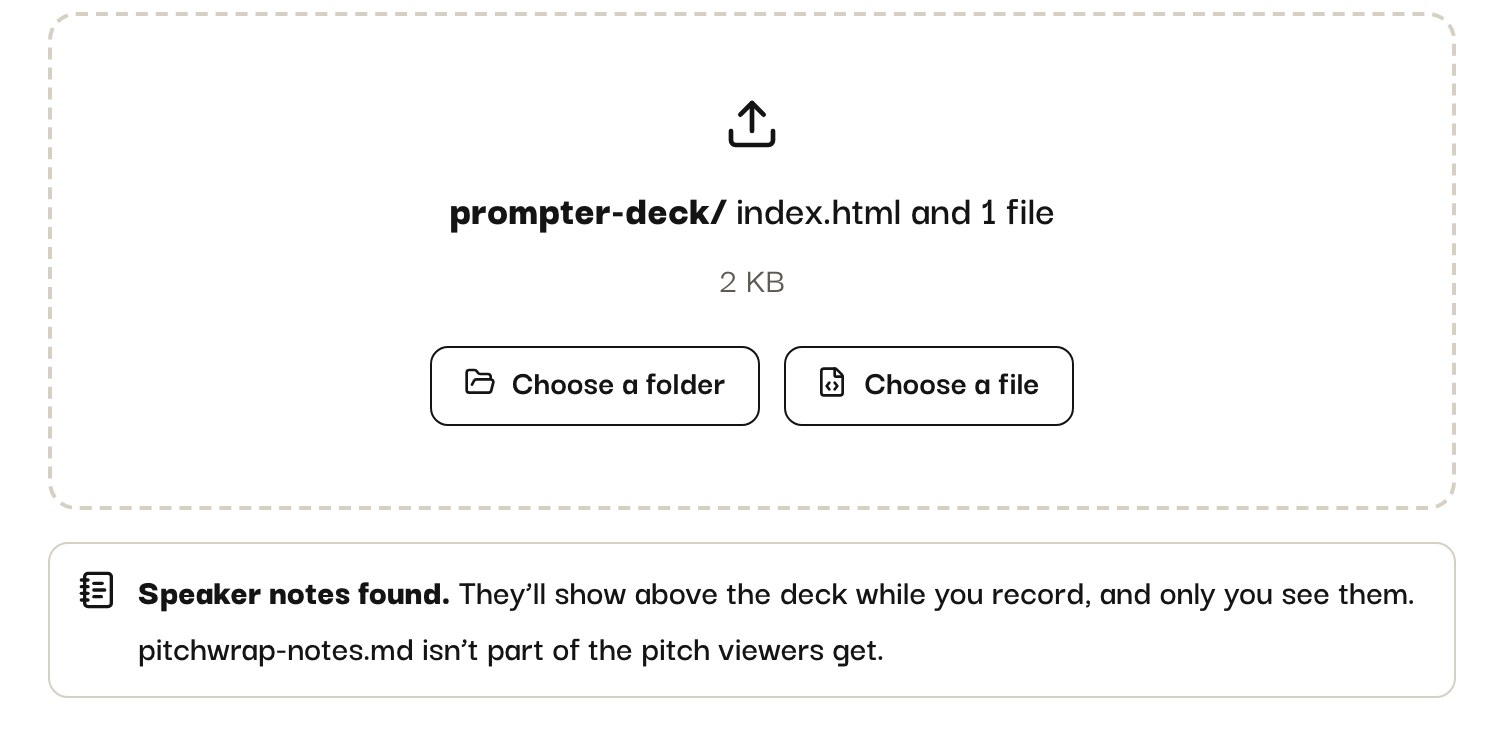
Put pitchwrap-notes.md at the top of the deck’s folder and upload the folder, as a new pitch or a new version. The upload form says “Speaker notes found”. The file is taken out of the pitch, so viewers never see it.
Or paste them in
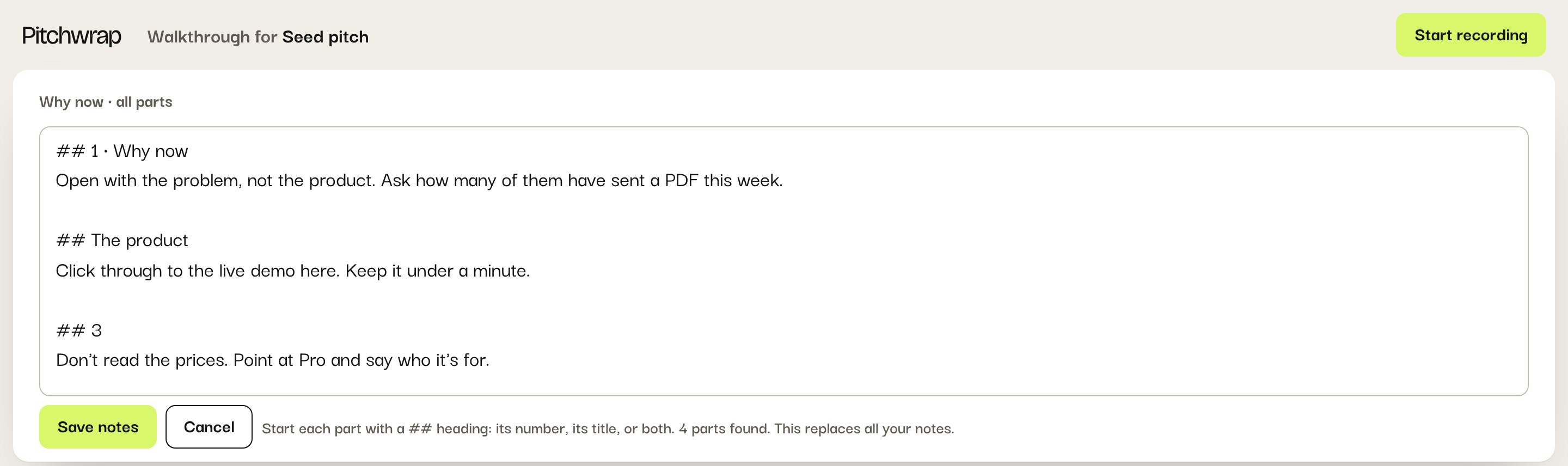
On your pitch’s Record page, the paste button above the deck takes the whole file. Change any slide’s notes in the recorder with the pencil.
Your notes also show when you present live, in a second window or on your phone.
The format
One ## heading per slide (or section of a scrolling page), with the notes under it. The heading is the slide’s number, its title as the slide shows it, or both:
## 1 · Why now
Open with the problem, not the product. (pause)

## Pricing
Point at the middle tier.
Pitchwrap matches notes to slides by title first, then by number, so a slide that moves keeps its notes by its title. Anything before the first ## is ignored.